> ## Documentation Index
> Fetch the complete documentation index at: https://wiki.worldrepublic.org/llms.txt
> Use this file to discover all available pages before exploring further.
# Register a party
> Form a new political group and run for office.
Follow these steps to register a party and compete in global elections.
Registering a party requires a verified account, the same face check used for voting. If you are not verified yet, the plus icon takes you to verification first — come back afterwards and your registration continues.
Parties registered before this requirement keep their listing, their [subsidies](/building-blocks/party-subsidies) and their edit rights.
## Steps
Go to [https://worldrepublic.org/parties](https://worldrepublic.org/parties).
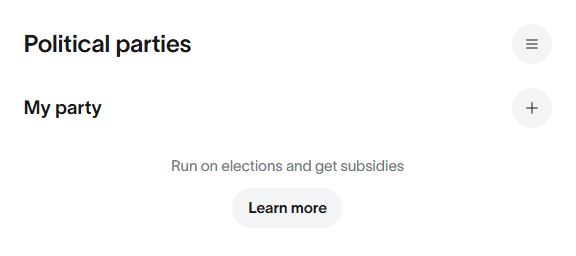
In the **My party** section, click the **plus icon** to open the registration dialog.
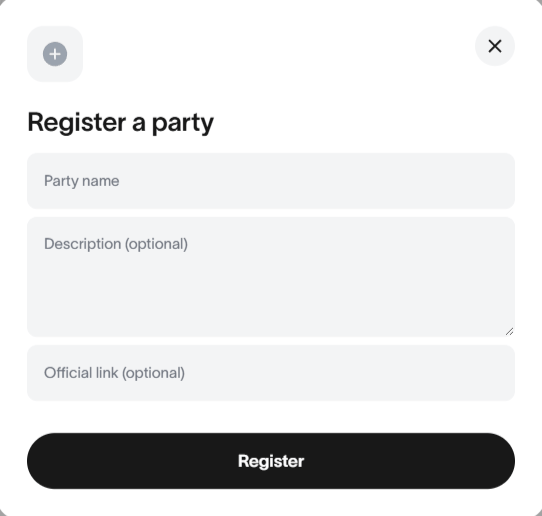
 Fill in the **Register a party** dialog.
 ### Properties
The official name of your political party. This will be displayed on the ballot.
A short description of your party's platform and goals.
A link to your party's website or social media page.
Click **Register** to complete the process.
If you are not signed in, you will be prompted to sign in with your preferred method before proceeding.
## Outcome
Registration is instant. Once successful, your new party will immediately appear in the **My party** section.
### Properties
The official name of your political party. This will be displayed on the ballot.
A short description of your party's platform and goals.
A link to your party's website or social media page.
Click **Register** to complete the process.
If you are not signed in, you will be prompted to sign in with your preferred method before proceeding.
## Outcome
Registration is instant. Once successful, your new party will immediately appear in the **My party** section.
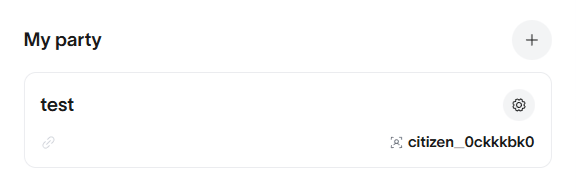 **Success!** You are now a party leader. Your party has instant ballot access and
is eligible to receive votes as soon as polls are open.
## Next steps
Verify yourself to vote for your own party
Learn how to earn funding for your party
**Success!** You are now a party leader. Your party has instant ballot access and
is eligible to receive votes as soon as polls are open.
## Next steps
Verify yourself to vote for your own party
Learn how to earn funding for your party